Reservation book for restaurants

See tonight's bookings
on your phone.

Your staff enter phone and LINE bookings into the book. Works in English, Thai, and Japanese. If you run more than one restaurant, switch between them with one tap.

1,900 THB / month per restaurant (excl. VAT)0 THB setup fee1-month free trial

No sales calls. We answer your questions on LINE.

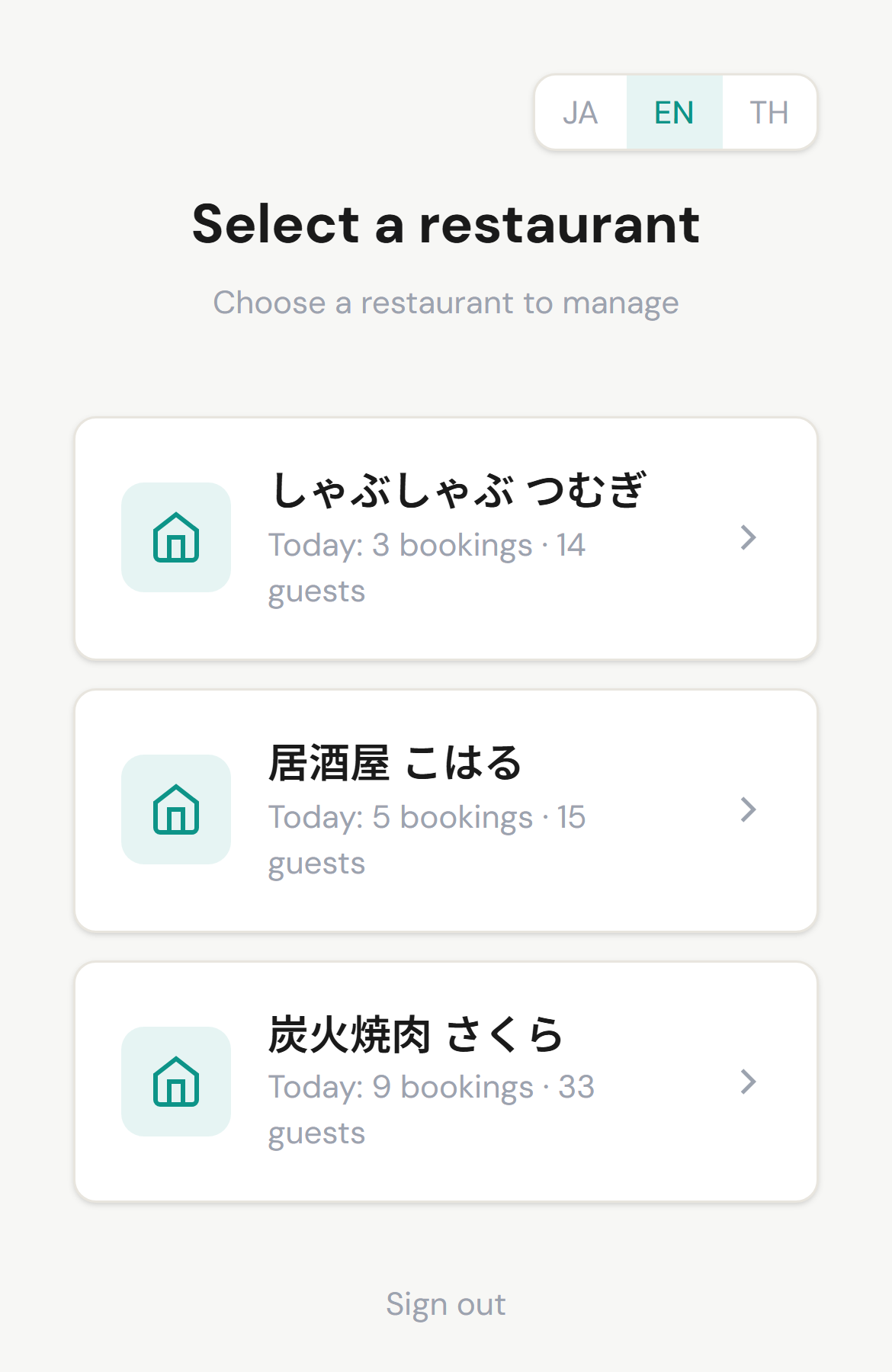
Restaurant list on a phone showing today's bookings and guest counts for each restaurant
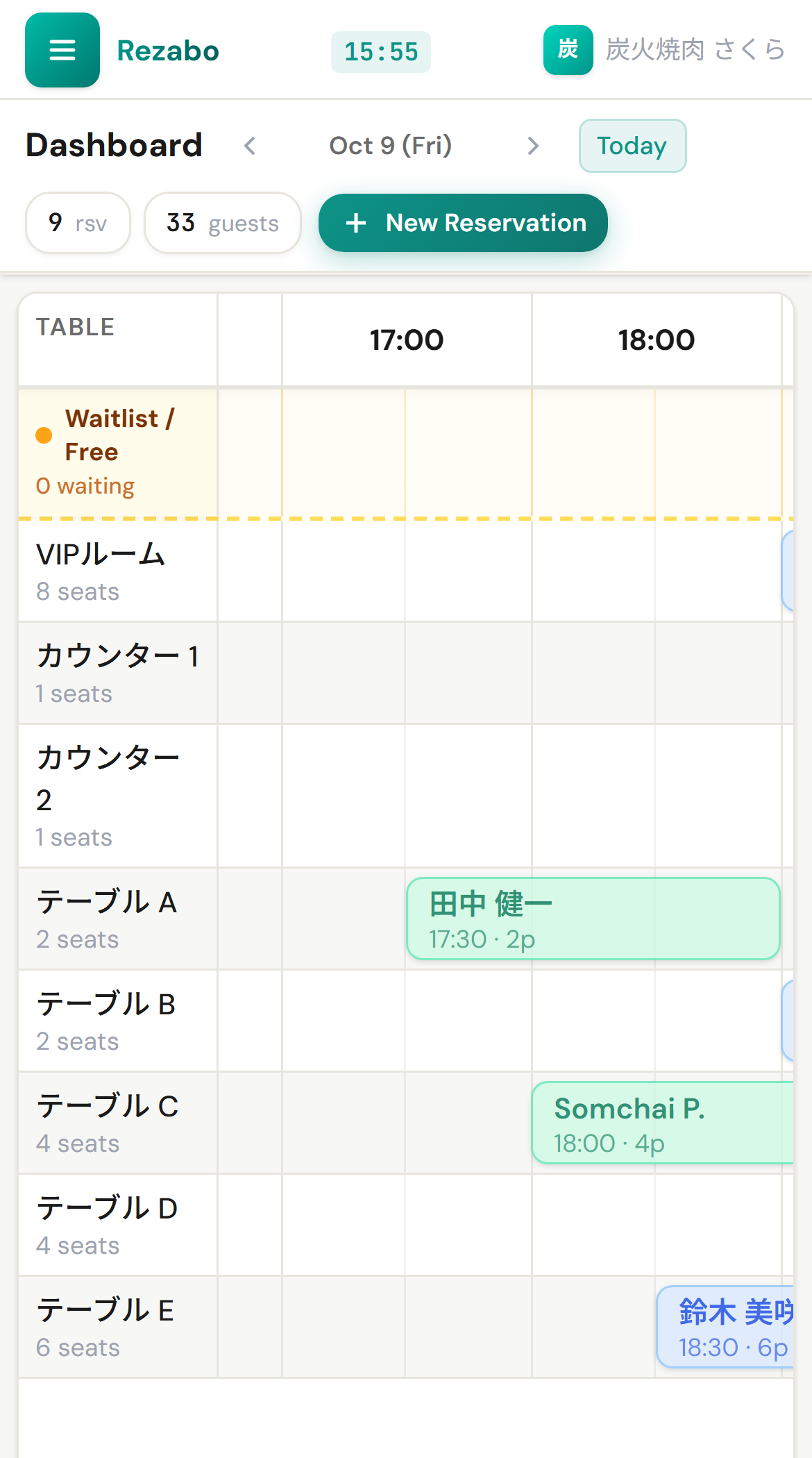
Reservation book on a phone, showing bookings by table along a timeline

Screens show demo restaurants.

Does this happen with your paper reservation book?

A booking arrives for next month

That week's sheet is not printed yet. You write it on a calendar to copy over later, worried you might forget.

Taking bookings on both phone and LINE

Did two bookings land on the same table at the same time? During the rush, you flip through the pages to check.

You are at your other restaurant today

How many bookings does the other one have tonight, and at what time? You cannot know without calling them.

Only what a reservation book actually needs

  • See tables on a timelineShows each table from the start time to the end time. You can add a booking on a future date from the same screen.
  • Warns of double-bookings as you enter themA warning appears on screen if you try to book the same table at the same time.
  • Recognize repeat guests by phone numberVisit count, last visit date, and notes appear right with the booking. Shared across your restaurants.
  • Track who changed what and whenEvery addition, edit, and cancellation is saved in an activity log.
Reservation book on a phone, showing bookings by table along a timeline
Restaurant list on a phone, showing today's bookings and guest counts for all 3 restaurants

More than one restaurant, all on one phone

The list shows today's number of bookings and number of guests for each restaurant. Tap a name to open that restaurant's book.

At another restaurant or on the move, you can check tonight's bookings at each restaurant on your phone and see which one looks likely to be busier.

One reservation book, each device in your team's language

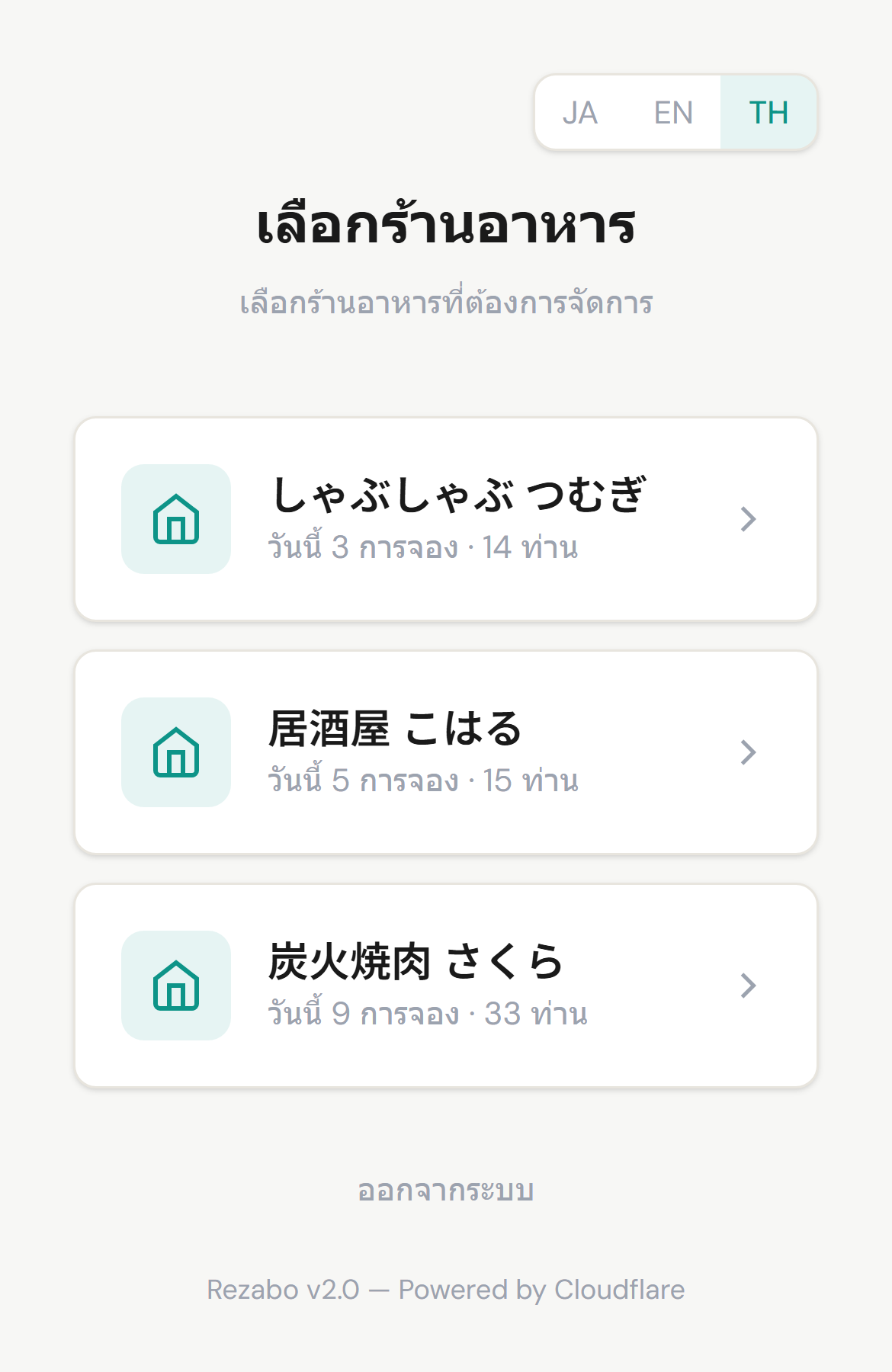
Each device can switch its screen language between Japanese, English, and Thai. For example, the manager's phone can show English while the floor tablet shows Thai.

The language setting changes buttons and labels. Guest notes stay in the original language they were entered.

Mobile screen switched to Thai display

Built for my own restaurants

I run three restaurants in Bangkok: yakiniku (Japanese grill), an izakaya (Japanese-style pub), and shabu-shabu.

Two of them used a well-known reservation system. It worked well, but for restaurants like ours, it had more features than we needed.

The izakaya used a paper book. We printed out Excel sheets one week at a time, flipping pages to write by hand. When a booking came in for next month, we did not have the sheet printed yet, so we wrote it on a calendar to copy over later.

The biggest problem was not knowing what was happening at each restaurant. With three of them, I want to be at the one that is busy. But I could not know how many bookings each had tonight without calling to ask.

So I built Rezabo myself. I can switch restaurants on my phone and see tonight's bookings. I kept only the features we use every day. Today, all three of my restaurants run their bookings on it.

Founder of Rezabo (operated by RQC.Thailand Co.,Ltd.)

What Rezabo does not do

Rezabo is a reservation book for restaurant staff. It does not include the following:

If your restaurant needs these, a service that also sends guests to you and takes payments will fit better.

Pricing

1,900 THB / month per restaurant (excl. VAT)

Annual plan: 19,000 THB / year per restaurant (excl. VAT, paid upfront, 2 months free)

  • 0 THB setup fee, 0 booking commission. No extra charge based on booking volume.
  • For 3 restaurants, it is 5,700 THB / month (excl. VAT).
  • Pay by PromptPay or Thai bank transfer. There are no automatic debits.
  • Official receipts and Tax Invoices are issued by a Thai company (RQC.Thailand Co.,Ltd.).
See pricing details

How to get started

  1. Contact us on LINEWe will ask for your restaurant name, location, and how you currently take bookings.
  2. Send a photo of your floor planA hand-drawn sketch is completely fine. We set up table names, seat counts, and your basic layout for free. This does not include migrating guest lists or copying past bookings.
  3. Use it during service for one monthWe will agree on a start date together. No credit card required. Before the free period ends, we check with you on LINE whether you want to continue.

For the first month, use it side by side with your paper book.

Frequently Asked Questions

Contact us on LINE to start your 1-month free trial. We will discuss and agree on a start date with you. Send us a sketch or photo of your floor plan, and we will set up your table names, seat counts and basic layout at no cost. This does not include migrating guest lists or copying past bookings.

The monthly plan is 1,900 THB per month per restaurant, and the annual plan is 19,000 THB per year per restaurant (paid upfront, 2 months free). Both exclude VAT. Pay by PromptPay or Thai bank transfer. Official Receipts and Tax Invoices (ใบกำกับภาษี) are issued by RQC.Thailand Co.,Ltd. There is no automatic debit.

No. Payment is by PromptPay or bank transfer, so nothing is debited automatically. Before the free month ends, we check with you on LINE whether you want to continue. You only pay if you decide to continue.

No. You do not need to replace your POS. Rezabo handles bookings and guest information only. Orders, payments and sales stay on the POS you use now, whether that is Ocha, Wongnai, or another system. Rezabo does not sync data with your POS. You can use it on a phone, tablet, or computer.